 WhatIs.site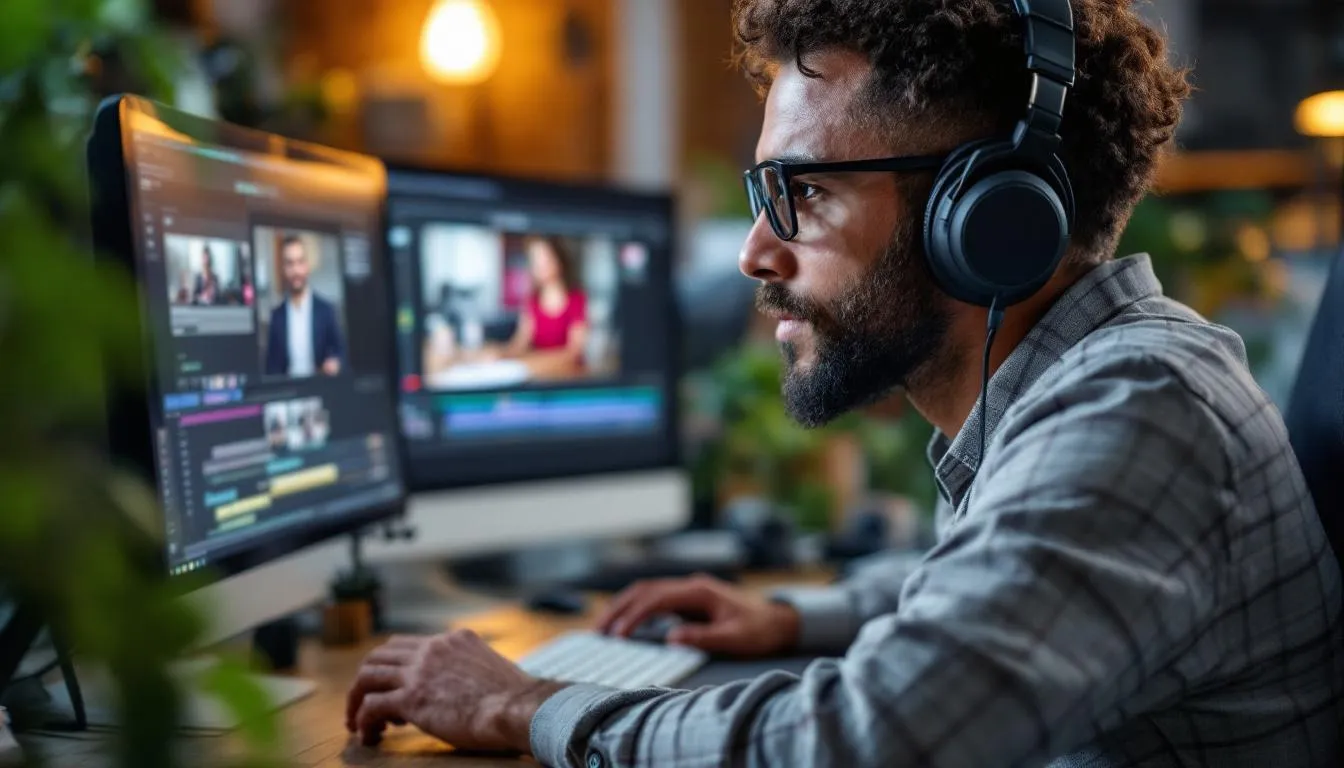
Table of Contents
What Is Video Editing?
Video editing is the process of taking raw footage and shaping it into a coherent, watchable production. It involves selecting the best shots, arranging them in sequence, controlling timing and pacing, adding transitions, incorporating sound and music, and making the countless small decisions that determine whether a viewer stays engaged or clicks away.
The Invisible Art
Good editing is invisible. When a movie scene grips you emotionally, you don’t think “that was a great cut at 1:23:47.” You just feel the tension, the joy, the horror. The editor’s job is to serve the story so seamlessly that the audience forgets someone is making decisions about what they see and when they see it.
Walter Murch, one of cinema’s most respected editors (Apocalypse Now, The English Patient), described editing as “a dance between the analytical and the emotional.” You’re simultaneously making logical decisions about narrative structure and intuitive decisions about rhythm and feeling. The best editors do both naturally.
The Basic Cuts
Every piece of edited video is built from a small set of fundamental techniques:
The hard cut — One shot ends, another begins. No transition. This is the most common and most powerful cut because it’s the most invisible. About 95% of cuts in a typical film are hard cuts.
The J-cut and L-cut — Audio from the next shot begins before the visual transition (J-cut), or audio from the current shot continues over the beginning of the next visual (L-cut). These create smooth, natural-feeling scene transitions because in real life, you often hear something before you see it.
Cross-dissolve — One shot gradually fades into another. Traditionally used to indicate passage of time or a change in location. Overusing dissolves makes a video feel dated — it was the default transition in amateur video for years.
Jump cut — A cut within the same shot that removes a section of time, creating a visible “jump.” Once considered a mistake, jump cuts are now standard in YouTube content and modern filmmaking (Jean-Luc Godard pioneered their artistic use in 1960’s Breathless).
Montage — A sequence of short shots compressed together to convey passage of time, build emotion, or deliver information quickly. Training montages, travel sequences, and cooking compilations are all montage.
The Editing Workflow
Assembly
The first pass through footage is the assembly — arranging shots in roughly the right order based on the script or planned structure. This is usually longer and rougher than the final product. A feature film’s assembly might run 4 hours for what becomes a 2-hour movie.
Rough Cut
The rough cut tightens the assembly, removing obviously unnecessary material, fixing shot order, and establishing basic pacing. Dialogue scenes get trimmed. Pauses get shortened or lengthened. The story structure becomes clearer.
Fine Cut
The fine cut addresses pacing at the frame level. Editors adjust individual cuts by frames — a few frames earlier, a few frames later — to get timing exactly right. The difference between cutting on the right frame and the wrong frame is the difference between a scene that works and one that feels slightly off, even if the viewer can’t articulate why.
Polish
Final stages include color grading (adjusting the visual look of the footage), sound mixing (balancing dialogue, music, and effects), adding titles and graphics, and rendering the final output.
Why Pacing Matters More Than Anything
Pacing — the speed at which information and emotion are delivered to the viewer — is the editor’s most important tool. Fast cutting creates energy and tension. Slow cutting creates contemplation and unease. The rhythm of cuts within a scene and across an entire production is what keeps audiences engaged.
Action sequences use quick cuts (sometimes less than a second per shot) to create excitement. Dramatic conversations use longer takes to let performances breathe. The best editors vary their pacing constantly, because sustained speed feels exhausting and sustained slowness feels boring.
A practical example: most YouTube videos cut every 3-8 seconds because internet audiences expect fast pacing. A dialogue scene in a drama might hold a shot for 15-30 seconds. A Terrence Malick film might hold a field shot for a full minute. None of these is “right” — they serve different purposes for different audiences.
The Software Field
DaVinci Resolve — The most interesting story in editing software. Blackmagic Design offers a genuinely professional editing, color grading, visual effects, and audio suite for free. The paid Studio version ($295, one-time) adds advanced features, but the free version is more powerful than most paid competitors. It’s become the standard recommendation for anyone starting out.
Adobe Premiere Pro — Subscription-based ($22.99/month) and deeply integrated with After Effects, Photoshop, and other Adobe tools. The industry standard for commercial, corporate, and independent work.
Final Cut Pro — Apple’s professional editor ($299.99, one-time purchase). Known for its magnetic timeline and excellent performance on Mac hardware. Popular with YouTube creators and independent filmmakers.
Avid Media Composer — The Hollywood standard for decades. Every Best Picture winner has been edited on Avid at some point in production. Its bin-based organization and collaborative features make it essential for large projects with multiple editors.
The Career and Creative Field
Professional editors work in film, television, advertising, corporate communications, news, social media, and independent content creation. Salaries range from $40,000 for entry-level positions to $150,000+ for senior editors at major studios or networks.
The democratization of editing tools means more people are editing video than ever before. This increases competition for professional positions but also creates enormous demand for editing skills across industries. Nearly every business needs video content, and someone has to cut it.
The craft itself remains what it always was: the art of deciding what to show, when to show it, and how long to let it breathe. The tools change. The decisions don’t.
Frequently Asked Questions
What software do professional video editors use?
Adobe Premiere Pro is the most widely used professional editing software, especially for commercial and corporate work. DaVinci Resolve (free version available) has gained massive popularity for its color grading and editing capabilities. Final Cut Pro is popular among Mac users and YouTube creators. Avid Media Composer remains the standard in Hollywood feature film and broadcast television. Each has strengths — Resolve for color, Avid for large-scale collaborative projects, Premiere for versatility.
How long does it take to edit a video?
A rough guideline is 1-2 hours of editing per minute of finished video for basic content, and 4-10+ hours per finished minute for polished professional work. A 10-minute YouTube video might take 10-30 hours to edit. A feature film takes months. The variables are enormous — complexity of cuts, color grading, visual effects, sound design, and revision cycles all affect timelines significantly.
Can I learn video editing for free?
Yes. DaVinci Resolve offers a professional-grade free version. YouTube has thousands of editing tutorials. The fundamental skills — cutting, pacing, storytelling through sequence — transfer across all software. Many successful editors are self-taught. The barrier to entry has never been lower, though mastering the craft still requires extensive practice and studying how professional editors make their decisions.
Further Reading
Cite this article
APA
WhatIs.site. (2025). What Is Video Editing?. Retrieved May 27, 2026, from https://whatis.site/video-editing MLA
"What Is Video Editing?." WhatIs.site, July 15, 2025, https://whatis.site/video-editing. Accessed May 27, 2026. Chicago
WhatIs.site. "What Is Video Editing?." Last modified May 12, 2026. https://whatis.site/video-editing. HTML
<a href="https://whatis.site/video-editing">What Is Video Editing?</a> — WhatIs.site Related Articles
What Is Video Production?
Video production is the full process of creating video content, from concept to final delivery. Learn about pre-production, filming, editing, and distribution.
arts amp cultureWhat Is Videography?
Videography is the art of capturing video footage for events, commercial projects, and creative work. Learn about equipment, techniques, and career paths.
everyday conceptsWhat Is Visual Effects?
Visual effects (VFX) are the processes by which imagery is created, altered, or enhanced outside of live-action filming.
everyday conceptsWhat Is Video Game Design?
Video game design is the process of creating game rules, mechanics, levels, and player experiences. Learn about design roles, processes, and key concepts.
businessWhat Is Social Media Management?
Social media management is the process of creating, scheduling, and analyzing content across social platforms. Learn about strategy, tools, and metrics.