 WhatIs.site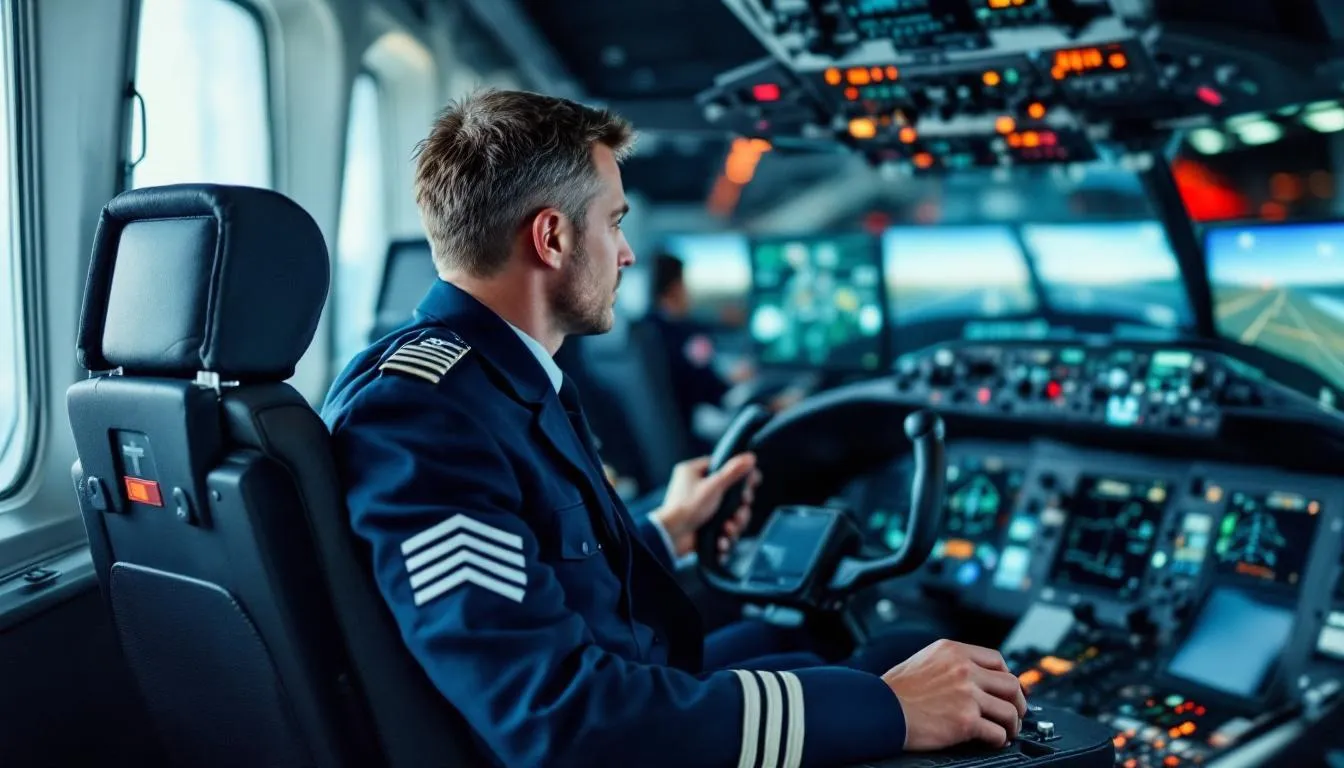
Table of Contents
What Is Flight Simulation?
Flight simulation is the artificial recreation of aircraft flight and the environment in which it occurs, using a combination of software models, hardware interfaces, and — in professional systems — motion platforms and visual displays. It serves three primary purposes: training pilots safely and cost-effectively, testing aircraft designs before physical prototypes exist, and providing realistic entertainment for aviation enthusiasts.

How Flight Simulation Actually Works
At its heart, a flight simulator is a lie your brain mostly believes. It takes mathematical models of how air flows over wings, how engines produce thrust, and how control surfaces alter an aircraft’s trajectory — then runs those calculations fast enough that a human sitting in front of the controls feels like they’re flying.
But getting there? That’s where things get genuinely interesting.
The Physics Engine
Every flight simulator starts with aerodynamics. The software must calculate lift, drag, thrust, and weight — the four fundamental forces of flight — hundreds of times per second. Modern simulators use one of two approaches.
Lookup table models store pre-calculated aerodynamic data for specific aircraft configurations. When you pull back on the yoke, the simulator looks up how that control input changes the aircraft’s pitch coefficient at the current speed, altitude, and configuration. This approach is fast and accurate for known flight conditions. It’s how most Level D professional simulators work — the data comes directly from wind tunnel testing and flight test programs.
Blade element theory calculates aerodynamic forces from first principles, dividing each wing into small sections and computing lift and drag individually. X-Plane, one of the most popular civilian simulators, uses this approach. It’s computationally heavier but can model unusual flight conditions — like what happens when you fly an aircraft that’s never actually been built. This makes it especially useful for aerospace engineering applications.
The physics engine also handles ground dynamics (what happens when the wheels touch the runway), engine models (how fuel flow translates to thrust at different altitudes and temperatures), and atmospheric modeling (wind, turbulence, temperature inversions, icing conditions).
Visual Systems
Your eyes provide maybe 80% of your orientation cues during flight. So the visual system matters enormously.
Professional simulators use collimated displays — screens where the image appears to be at optical infinity, just like looking out a real cockpit window. This prevents your eyes from focusing on a nearby screen, which would break the illusion and cause simulator sickness. These displays typically wrap 200+ degrees around the cockpit, using multiple high-resolution projectors.
The terrain databases behind these visuals are staggeringly detailed. Modern systems render satellite-derived terrain with accurate airport layouts, approach lighting systems, runway markings, and even seasonal vegetation changes. Night scenes include properly placed city lights. Weather effects show realistic fog, rain on the windscreen, and cloud formations at correct altitudes.
For home users, computer graphics technology has made consumer flight simulation visuals genuinely impressive. Microsoft Flight Simulator 2020 streams Bing satellite imagery and uses photogrammetry to create 3D representations of major cities. The gap between professional and consumer visuals has narrowed dramatically — though the display hardware (a flat monitor versus a collimated wraparound system) still creates a meaningful difference in immersion.
Motion Systems
Here’s where professional simulators diverge sharply from home setups. A Level D full-flight simulator sits on a six-axis hydraulic or electric motion platform — called a Stewart platform — that tilts, heaves, sways, and surges to replicate the physical sensations of flight.
But there’s a catch. The platform has maybe two meters of travel in any direction. It can’t actually simulate sustained acceleration — you’d run out of room. Instead, it uses a technique called “washout.” When you accelerate on takeoff, the platform tilts back slightly, letting gravity create the sensation of being pushed into your seat. Your inner ear can’t distinguish between tilt-induced gravity and forward acceleration — at least not for a few seconds. The platform slowly returns to neutral (the “washout”), and your brain doesn’t notice because the visual scene confirms you’re still accelerating.
This trick works remarkably well. Airline pilots regularly report that their first flight in a new aircraft type — after training exclusively in the simulator — feels exactly as expected. The motion cues, combined with visuals and sound, create a convincing enough experience that the brain accepts it as real.
Sound Design
Sound is the unsung hero of flight simulation. Engines have different acoustic signatures at idle, takeoff power, and cruise. Wind noise changes with airspeed. Landing gear produces distinct clunks and thuds. Rain hammers the fuselage differently at different speeds.
Professional simulators use transducer systems that vibrate the cockpit structure itself, so you feel the rumble of engines through the seat and floor — not just through speakers. This tactile feedback is surprisingly important for experienced pilots who’ve learned to sense aircraft behavior through subtle vibrations.
The FAA Classification System
The Federal Aviation Administration classifies simulators into categories that determine what training credit pilots can receive. Understanding this hierarchy matters because it dictates how the airline industry uses these machines.
Full Flight Simulators (FFS)
These are the big ones — complete cockpit replicas mounted on motion platforms with wraparound visual systems.
Level A is the entry point. It requires a motion system with at least three degrees of freedom and a daylight/twilight visual system with at least a 45-degree horizontal field of view per pilot. Sound is required but basic.
Level B adds requirements for more realistic ground handling, additional special effects, and an improved visual system.
Level C requires a six-degree-of-freedom motion system, a daylight/dusk/night visual system with at least a 75-degree horizontal field of view, and a sound system that includes significant cockpit sounds.
Level D is the gold standard. It demands the same six-degree motion platform but adds a daylight/dusk/night visual system with at least 150 degrees horizontal by 40 degrees vertical field of view, real-time weather radar simulation, and a visual system capable of showing wet and contaminated runway effects. A Level D simulator is qualified for zero-flight-time training — meaning a pilot can earn their type rating on a new aircraft without ever flying the real airplane.
That last point deserves emphasis. When an airline transitions a pilot from a Boeing 737 to a Boeing 787, that pilot may complete their entire type rating — dozens of hours of training including all emergency procedures — in a Level D simulator. The first time they fly the actual 787 with passengers on board is their first time in the real aircraft. That’s how good these simulators are.
Flight Training Devices (FTD)
FTDs replicate cockpit systems and flight characteristics but typically lack motion platforms and full visual systems.
Level 4 through Level 7 represent increasing fidelity, with Level 7 requiring a helicopter-specific aerodynamic model for rotorcraft training.
Aviation Training Devices (ATD)
These are the most accessible category and include some home-based setups. A Basic ATD (BATD) meets minimum requirements for instrument training credit — up to 10 hours toward an instrument rating. An Advanced ATD (AATD) adds requirements for more realistic flight dynamics and can credit up to 20 hours.
How Pilots Actually Train in Simulators
The training syllabus in a professional simulator follows a carefully designed progression. Here’s what a typical airline initial training program looks like.
Phase One: Systems and Normal Operations
Pilots first learn the aircraft’s systems — hydraulics, electrical, pneumatics, fuel, flight controls. They practice normal procedures: engine starts, taxi, takeoff, climb, cruise, descent, approach, and landing. They do this repeatedly until the procedures become automatic.
This phase also covers standard instrument approaches. Pilots fly ILS approaches (using radio beams to guide them to the runway), VOR approaches, GPS approaches, and visual approaches — all in varying weather conditions. The emphasis is on precision: hitting target airspeeds within 5 knots, maintaining glideslope within one dot, touching down in the correct zone.
Phase Two: Abnormal and Emergency Procedures
This is where simulators truly earn their keep. You simply cannot practice engine failures on takeoff in a real aircraft — not safely, anyway. But in a simulator, you can experience every emergency in the book.
Engine failure after V1 (the decision speed during takeoff). Engine fire in flight. Rapid decompression at 39,000 feet. Complete electrical failure. Hydraulic system failures requiring alternate gear extension. Wind shear encounters on approach. Rejected takeoffs at high speed.
Pilots practice these scenarios until the correct response is instinctive. The simulator can freeze, replay, and debrief every moment. Instructors can introduce failures at the worst possible moment — because that’s when they happen in real life.
Phase Three: Line-Oriented Flight Training (LOFT)
LOFT scenarios simulate complete flights from gate to gate, including realistic ATC communications, weather deviations, and passenger medical emergencies. The goal is decision-making under realistic workload — not just stick-and-rudder skills but crew resource management, communication, and judgment.
These sessions are typically not interrupted for instruction. The crew handles whatever happens, and the debrief afterward analyzes their performance. This approach, developed after analyzing accidents caused by cockpit communication failures, has been credited with significantly improving airline safety.
The Technology Behind Modern Simulators
Real-Time Computing
A flight simulator’s computers must update the physics model, render the visual scene, process control inputs, drive the motion platform, and generate sound — all within a single frame, typically 60 times per second. Any delay between a pilot’s control input and the simulator’s response creates latency that ruins the illusion and can cause simulator sickness.
Professional simulators use dedicated real-time computing hardware with deterministic processing — meaning the computer guarantees it will complete its calculations within a fixed time window. This is fundamentally different from a desktop PC, where the operating system might pause your simulation to handle a background task.
Modern consumer hardware has closed much of this gap. High-end gaming PCs with fast GPUs can run detailed flight simulations at frame rates that would have seemed impossible a decade ago. But the deterministic guarantee — knowing the frame will always complete on time — remains a professional-system advantage.
Image Generation
Creating a realistic visual scene in real time is one of the hardest problems in computer graphics. The simulator’s image generator must render terrain, buildings, airports, other aircraft, weather effects, and lighting — all at frame rates that don’t cause nausea.
Professional image generators from companies like FlightSafety International and CAE use specialized hardware optimized for this task. They can render scenes with billions of polygons, accurate atmospheric scattering (so the sky looks right at different times of day), and special effects like snow-covered runways or volcanic ash.
The terrain databases themselves are enormous. A global database with reasonable detail might occupy several terabytes. High-detail airport environments add more. And all of this must stream seamlessly as the simulated aircraft moves.
Control Loading
The yoke, throttle, rudder pedals, and other controls in a professional simulator don’t just move freely — they push back against the pilot with forces that replicate the real aircraft. This is control loading, and it’s achieved through electric or hydraulic actuators connected to each control.
In a real aircraft, the forces on the flight controls change with airspeed, configuration, and flight condition. Pull the yoke at 300 knots and it’s heavy. Pull it at 100 knots and it’s light. Deploy the flaps and the trim changes. The control loading system replicates all of this, using data from the actual aircraft’s flight test program.
This matters more than you might think. Experienced pilots fly partly by feel — they know how much force to apply for a given maneuver. Without accurate control forces, training doesn’t transfer well to the real aircraft.
Flight Simulation for Engineering and Research
Beyond pilot training, flight simulation serves critical roles in aerospace engineering and research.
Aircraft Design and Testing
Before a new aircraft ever flies, it’s flown thousands of hours in simulation. Engineers use flight simulators to evaluate handling qualities — does the aircraft respond intuitively to pilot inputs? Is it stable in all flight regimes? What happens at the edges of the flight envelope?
NASA’s simulation facilities have been instrumental in developing flight control laws for aircraft from the Space Shuttle to the latest commercial jets. Their Vertical Motion Simulator at Ames Research Center has the largest vertical travel of any simulator in the world — 60 feet — allowing it to replicate the sensations of helicopter autorotations and spacecraft landings.
Boeing and Airbus both use engineering simulators extensively during aircraft development. Pilots evaluate proposed cockpit layouts, display designs, and automation logic years before the first prototype is built. Problems identified in simulation are far cheaper to fix than problems found in flight test.
Accident Investigation
When investigators need to understand what happened during an aviation accident, they often reconstruct the flight in a simulator. Flight data recorder information drives the simulation, allowing investigators — and sometimes surviving crew members — to experience the conditions leading up to the event.
This technique was used extensively in the investigation of Air France Flight 447 (2009), where simulator recreations helped investigators understand how the crew responded to conflicting airspeed indications over the Atlantic Ocean.
Human Factors Research
How do pilots respond to stress? How does fatigue affect performance? What cockpit designs reduce errors? These questions are studied extensively in simulators because you can control variables precisely and measure performance objectively — something impossible in actual flight operations.
Research using artificial intelligence is also advancing. AI copilot systems are being developed and tested in simulators before any consideration of putting them in real cockpits. The simulator provides a safe environment to see how AI and human pilots interact under various conditions.
Consumer Flight Simulation
The home flight simulation community is enormous — and surprisingly serious.
The Major Platforms
Microsoft Flight Simulator has been around since 1982, making it one of the longest-running software franchises in history. The 2020 edition (and its 2024 update) uses Azure cloud computing to stream photorealistic scenery, real-time weather data from actual weather stations, and live air traffic data. The visual quality shocked even professional simulator developers.
X-Plane takes a different approach, using blade element theory to model aerodynamics from first principles. This makes it popular with engineers and experimenters because you can design a completely fictional aircraft and get plausible flight characteristics. The FAA has certified X-Plane-based systems as Aviation Training Devices.
DCS World (Digital Combat Simulator) focuses on military aircraft with extraordinary systems depth. Individual modules recreate specific military aircraft — the F/A-18C Hornet, the A-10C Warthog, the F-16C Viper — with every switch, knob, and system modeled to a level that actual military pilots have praised.
Home Cockpit Builders
Some enthusiasts build full-scale cockpit replicas in their homes. These projects use real aircraft instruments (purchased from salvage), custom-built panels with working buttons and switches, multiple monitors or projectors for visuals, and sometimes even motion platforms.
The community shares designs, software interfaces, and building techniques. It’s not unusual to see a home cockpit that rivals a professional training device in physical accuracy — though it won’t have the certified flight models or control loading of a professional system.
Companies like Honeycomb Aeronautical and Thrustmaster make consumer flight controls that bridge the gap between gaming peripherals and professional equipment. A quality yoke, throttle quadrant, and rudder pedals might cost $500-$1,000 — a tiny fraction of professional equipment but enough to provide meaningful muscle memory training.
Virtual Airlines and Online Networks
Networks like VATSIM (Virtual Air Traffic Simulation Network) and IVAO connect flight simulator users with live human air traffic controllers. Pilots file flight plans, communicate by voice, follow published procedures, and fly in shared airspace with hundreds of other users.
Virtual airlines replicate the scheduling and operations of real airlines. Pilots bid for routes, complete flights, track their hours, and advance through a rank structure. Some virtual airlines have thousands of active pilots.
This community has produced real-world pilots. Many flight training students credit home simulation with giving them a significant head start — particularly in instrument flying, navigation, and procedural knowledge.
The Role of VR and AR
Virtual reality has entered flight simulation with mixed results.
The promise is obvious: instead of looking at a flat monitor, you’re immersed in a 3D cockpit with head tracking that lets you look around naturally. Lean forward to read a gauge. Glance out the side window during a turn. Check behind you for traffic.
The reality is more complicated. Current VR headsets have resolution limitations that make reading small cockpit instruments difficult. Latency — even a few milliseconds of delay between head movement and visual update — causes nausea in some users. And wearing a headset for a four-hour simulated flight isn’t particularly comfortable.
Despite these limitations, VR has found a strong niche in military simulation and general aviation training scenarios where the ability to check traffic by physically looking around provides genuine value. As headset technology improves — lighter weight, higher resolution, lower latency — VR’s role in flight simulation will likely expand significantly.
Augmented reality has potential applications too. Imagine maintenance training where a technician looks at a real engine and sees AR overlays identifying components and procedures. Or flight training where a student in a real aircraft sees AR guidance cues overlaid on the actual view outside.
Military Flight Simulation
The military was arguably the first serious user of flight simulation. The Link Trainer, developed in the late 1920s by Edwin Link, was a mechanical device that used pneumatic bellows to replicate the motion of flight. The U.S. military adopted it extensively during World War II, training over 500,000 pilots. It’s estimated that the Link Trainer saved the U.S. military roughly $3 billion in training costs during the war — and countless lives.
Modern military simulators are classified and staggeringly capable. They model radar, electronic warfare, weapons systems, threat environments, and multi-aircraft coordination. A single F-35 full-mission simulator costs around $25 million and includes detailed modeling of the aircraft’s sensor fusion capabilities.
Distributed mission operations (DMO) connect multiple simulators at different locations into a shared virtual battlespace. Pilots at bases across the country — or across the world — can fly coordinated missions against simulated or live opponents. This capability allows training scenarios that would be impossibly expensive or dangerous to conduct with real aircraft.
The cost argument for military simulation is overwhelming. An F-35 costs roughly $36,000 per flight hour to operate. The simulator costs a fraction of that. When a training sortie might involve four aircraft flying for two hours each, the savings from doing even a portion of that training in simulators add up fast.
The Future of Flight Simulation
Several trends are shaping where flight simulation goes next.
Cloud computing is already transforming consumer simulation. Microsoft’s approach of streaming terrain and weather data means your simulator can display the entire world in photorealistic detail without requiring terabytes of local storage. Professional simulators may adopt similar approaches for terrain databases.
Machine learning and AI are being used to create more realistic air traffic, weather patterns, and failure scenarios. Instead of scripted events, AI can generate training scenarios that adapt to a pilot’s skill level and target their weaknesses.
Haptic feedback beyond motion platforms is emerging. Full-body haptic suits, seat shakers, and G-suit simulators can replicate the physical sensations of high-G maneuvering that conventional motion platforms cannot.
Electric and autonomous aircraft present new simulation challenges. Urban air mobility vehicles (flying taxis) need entirely new simulation models. Autonomous aircraft need simulation environments where AI pilots can log millions of virtual flight hours safely.
Increased regulatory acceptance continues to expand. As simulator fidelity improves, regulators are allowing more training to occur in simulators rather than real aircraft. The trend is clear: more simulation, less actual flying for training purposes.
Why Flight Simulation Matters
Flight simulation saves lives. Period. Before simulators, pilots trained emergency procedures by reading about them and hoping they’d remember in a crisis. Now, they’ve practiced engine failures so many times in the simulator that the response is reflexive.
It saves money — enormously. Training a commercial pilot in actual flight hours is roughly 10 times more expensive than simulator training. For military applications, the ratio is even more extreme.
It enables engineering that would otherwise be impossible. You can’t test a new fly-by-wire control law by putting a test pilot in an untried aircraft and hoping for the best. You test it in a simulator first — exhaustively.
And for millions of enthusiasts, it provides a window into aviation that would otherwise be inaccessible. Not everyone can afford flight lessons, but anyone with a PC can experience the challenge and satisfaction of landing a 747 in a crosswind at San Francisco.
Flight simulation started as a mechanical training aid with pneumatic bellows and evolved into a multi-billion-dollar industry that touches every corner of aviation. The gap between simulation and reality continues to narrow, and in some specific dimensions — the ability to practice emergencies safely, to test unbuilt designs, to train in any weather condition — simulation has already surpassed the real thing.
Key Takeaways
Flight simulation uses mathematical models, visual systems, and motion platforms to recreate the experience of flight. Professional simulators are accurate enough for pilots to earn aircraft certifications without ever flying the real plane. Consumer simulators have reached visual quality levels that rival professional systems, and the FAA recognizes some for training credit. The technology serves pilot training, aircraft design, accident investigation, military operations, and entertainment — making it one of the most versatile simulation disciplines in existence.
Frequently Asked Questions
Can you learn to fly entirely from a flight simulator?
No. While flight simulators are invaluable training tools and the FAA allows certain simulator hours to count toward pilot certification, actual flight experience in a real aircraft is required. Simulators excel at teaching procedures, instrument flying, and emergency scenarios, but they cannot fully replicate the physical sensations and decision-making pressures of real flight.
How accurate are modern flight simulators?
Level D full-flight simulators — the highest FAA certification — are accurate enough that airline pilots complete their type ratings (certification on new aircraft) entirely in the simulator without ever flying the actual plane beforehand. These simulators replicate motion, visuals, sounds, and flight dynamics with remarkable fidelity.
Are home flight simulators useful for real pilot training?
Yes, to a degree. The FAA recognizes certain home-based Aviation Training Devices (ATDs) for logging instrument training hours. Products like X-Plane and Microsoft Flight Simulator with proper hardware can build genuine procedural skills, though they lack the motion cues and full fidelity of professional simulators.
How much does a professional flight simulator cost?
A Level D full-flight simulator for a commercial aircraft typically costs between $10 million and $20 million. Smaller fixed-base simulators used for general aviation training range from $50,000 to $500,000. Home setups with quality hardware can run from $2,000 to $30,000 depending on complexity.
What is the difference between a flight simulator and a flight training device?
The FAA distinguishes between Full Flight Simulators (FFS), which include motion platforms and full visual systems, and Flight Training Devices (FTD), which may lack motion but still replicate cockpit systems and flight dynamics. Both are used in pilot training, but FFS devices allow more training credits toward certification.
Further Reading
Cite this article
APA
WhatIs.site. (2026). What Is Flight Simulation?. Retrieved May 27, 2026, from https://whatis.site/flight-simulation MLA
"What Is Flight Simulation?." WhatIs.site, March 6, 2026, https://whatis.site/flight-simulation. Accessed May 27, 2026. Chicago
WhatIs.site. "What Is Flight Simulation?." Last modified May 12, 2026. https://whatis.site/flight-simulation. HTML
<a href="https://whatis.site/flight-simulation">What Is Flight Simulation?</a> — WhatIs.site Related Articles
What Is Aviation?
Aviation is the science, engineering, and practice of designing, building, and operating aircraft for flight within Earth's atmosphere.
technologyWhat Is Aerospace Engineering?
Aerospace engineering designs aircraft and spacecraft. Learn how aeronautics and astronautics work, key disciplines, career paths, and what engineers do.
technologyWhat Is Computer Graphics?
Computer graphics is the field of creating, manipulating, and rendering visual content using computers.
technologyWhat Is Artificial Intelligence?
Artificial intelligence is the field of building machines that can perform tasks requiring human-like reasoning. Learn about AI types, methods, and impact.
technologyWhat Is Aircraft Mechanics?
Aircraft mechanics is the field of maintaining, inspecting, repairing, and overhauling aircraft to keep them safe and airworthy.